
Creating the perfect desk lighting layout transforms your workspace from a source of strain into a haven of productivity. Whether you work from home or in an office, proper illumination directly impacts your comfort, focus, and overall wellbeing throughout the day.

Poor lighting contributes to eye fatigue, headaches, and reduced concentration—problems that compound over hours of work. Understanding how to position and layer your lighting sources strategically eliminates these issues while creating an environment that supports your best performance. Let’s explore how to design a lighting setup that works with your space, not against it.
🔆 Understanding the Three Essential Layers of Desk Lighting
Professional lighting designers rely on a three-layer approach that combines ambient, task, and accent lighting. Each layer serves a distinct purpose in creating a balanced, comfortable workspace that minimizes eye strain and maximizes visibility.
Ambient lighting provides overall illumination for your room, typically from overhead fixtures or natural window light. This foundational layer sets the baseline brightness level and prevents harsh contrast between your bright desk area and darker surroundings—a common cause of eye fatigue.
Task lighting focuses directly on your work surface, providing concentrated illumination where you need it most. This typically comes from desk lamps positioned to eliminate shadows on keyboards, documents, or other materials you’re actively using.
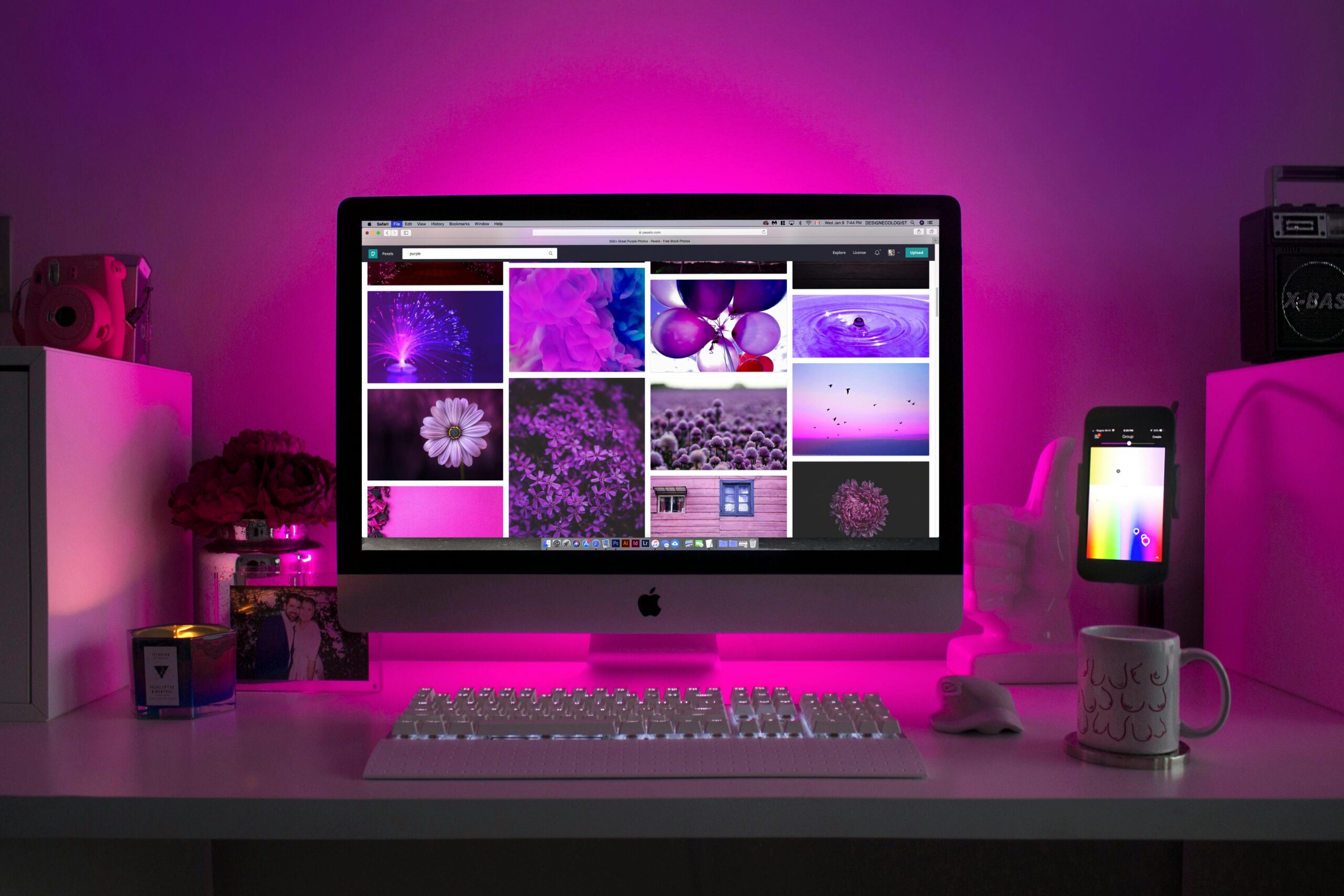
Accent lighting adds depth and reduces the stark contrast between your monitors and the wall behind them. This optional but beneficial layer can include bias lights behind screens or subtle uplighting that softens the overall atmosphere.
Positioning Your Primary Task Light for Maximum Effectiveness
The placement of your main desk lamp determines whether it helps or hinders your work. For right-handed individuals, position your task light on the left side of your desk to prevent your hand from casting shadows across your work. Left-handed people should reverse this arrangement.
Height matters significantly for task lighting effectiveness. Your light source should sit approximately 15 inches above your desk surface, angled to illuminate your workspace without shining directly into your eyes. Adjustable arm lamps offer the flexibility to fine-tune this positioning throughout the day.
Distance from your work area also plays a crucial role. Position your lamp 12 to 18 inches away from the center of your primary work zone. This distance provides adequate coverage without creating hotspots of excessive brightness that strain your eyes.
The 20-Degree Angle Rule
Lighting professionals recommend positioning your task light at approximately 20 degrees from your line of sight to the work surface. This angle maximizes illumination while minimizing glare on reflective surfaces like glossy paper or smartphone screens. Imagine drawing a line from your eyes to your keyboard—your light should come from about 20 degrees to either side of this line.
💻 Managing Screen Glare and Monitor Positioning
Computer monitors present unique lighting challenges because they generate their own light while simultaneously reflecting ambient sources. Position your monitor perpendicular to windows rather than directly facing or backing them to minimize glare and backlight issues.
Your screen brightness should match the ambient lighting in your room. Working on a bright screen in a dark room forces your pupils to constantly adjust between the monitor and surroundings, causing significant eye strain. Conversely, a dim screen in bright surroundings makes you squint unnecessarily.
Monitor height affects how lighting interacts with your screen. Position the top of your display at or slightly below eye level, tilted back 10 to 20 degrees. This angle reduces ceiling light reflections while maintaining comfortable viewing geometry.
Implementing Bias Lighting Behind Monitors
Bias lighting—a soft glow behind your monitor—significantly reduces eye strain during extended screen time. This technique works by decreasing the perceived brightness contrast between your screen and the surrounding wall, allowing your eyes to relax rather than constantly readjusting.
For optimal results, use a neutral white LED strip (6500K color temperature) positioned behind your monitor to create a subtle halo effect on the wall. The bias light should be bright enough to be visible but not so intense that it becomes distracting or creates its own glare issues.
Selecting the Right Color Temperature for Different Tasks
Color temperature, measured in Kelvins, dramatically affects both your comfort and alertness. Understanding how different temperatures influence your work helps you choose appropriate lighting for various times of day and task types.
Warm light (2700K-3000K) creates a relaxing atmosphere ideal for late afternoon and evening work sessions. This yellowish glow mimics sunset and signals to your body that the day is winding down, making it perfect for less demanding tasks or creative work.
Neutral white light (3500K-4500K) offers versatility for general office work throughout the day. This balanced temperature doesn’t skew too warm or cool, making it suitable for tasks requiring accurate color perception without the alertness boost of cooler temperatures.
Cool white light (5000K-6500K) enhances focus and mimics midday sunlight, making it ideal for demanding analytical work, detailed design tasks, or morning productivity sessions. However, avoid cool lighting in evening hours as it can disrupt your natural sleep cycle.
📊 Color Temperature Quick Reference Guide
| Temperature Range | Appearance | Best Used For | Time of Day |
|---|---|---|---|
| 2700K-3000K | Warm White | Reading, relaxed work | Evening |
| 3500K-4500K | Neutral White | General office tasks | All day |
| 5000K-6500K | Cool White | Detailed work, analysis | Morning to afternoon |
Calculating the Right Amount of Light for Your Workspace
Brightness measurement uses lumens for total light output or lux for light intensity at a specific surface. Understanding these measurements helps you select appropriately powered lighting that neither overwhelms nor underwhelms your space.
For general office work, lighting experts recommend 300-500 lux at your desk surface. Tasks requiring fine detail, such as drafting, illustration, or precision assembly, benefit from 750-1000 lux. Your ambient room lighting should provide approximately 150-200 lux to support these task lighting levels.
A simple estimation method: multiply your desk area in square feet by 50-75 lumens for adequate task lighting. A standard 4×2 foot desk (8 square feet) would require 400-600 lumens from your task light, easily provided by most modern LED desk lamps.
Testing Your Current Lighting Levels
Many smartphone light meter apps provide reasonably accurate lux readings to assess your current setup. Take measurements at your primary work surface with all lights activated as you’d typically use them. If readings fall significantly below recommended levels, you’ll need to add supplementary lighting or replace existing fixtures with brighter alternatives.
✅ The Ultimate Desk Lighting Checklist
Use this comprehensive checklist to evaluate and optimize your current setup or design a new lighting layout from scratch. Address each point systematically for the best results.
- Ambient lighting provides even, shadow-free general illumination without creating harsh contrasts between your desk and surrounding areas
- Task light positioned on the non-dominant hand side to prevent shadow casting across your work surface
- No light sources visible in your direct line of sight when looking at your primary work area or monitor
- Monitor positioned perpendicular to windows to minimize glare and backlight interference
- Screen brightness matches ambient room lighting to reduce eye strain from constant pupil adjustment
- Bias lighting installed behind monitors for extended screen work sessions
- Light color temperature appropriate for task and time of day supporting circadian rhythm and task requirements
- Adjustable lighting options available to accommodate different tasks, times, and personal preferences
- No flickering from any light sources which causes subtle but cumulative eye fatigue
- Sufficient lux levels for your specific work type verified through measurement or professional calculation
- Matte or anti-glare surfaces on desk and surrounding areas to minimize reflections
- Easy access to lighting controls allowing quick adjustments without disrupting workflow
Dealing with Natural Light: Friend or Foe?
Natural daylight offers unmatched color rendering and psychological benefits, but it requires careful management to prevent glare problems and excessive brightness fluctuations throughout the day. Position your desk to take advantage of natural light without being overwhelmed by it.
Side lighting from windows provides excellent illumination without the glare issues of facing or backing a window. Arrange your desk so windows are to your left or right, providing supplementary ambient light that changes naturally with the time of day.
Window treatments give you control over natural light intensity. Sheer curtains or adjustable blinds allow you to moderate incoming light based on weather conditions, season, and time of day. This flexibility prevents the harsh afternoon glare that plagues west-facing offices or the excessive brightness of morning sun in east-facing rooms.
Balancing Natural and Artificial Light
During daylight hours, layer your artificial lighting to complement rather than compete with natural light. Use task lighting to fill shadows and maintain consistent illumination on your work surface even as window light fluctuates. Dimmer switches on overhead fixtures allow you to reduce artificial ambient lighting when natural light is abundant.
🎯 Specialized Lighting Considerations for Different Work Types
Different professions and tasks demand customized lighting approaches. Tailoring your setup to your specific work maximizes both comfort and performance outcomes.
For detailed artwork, design work, or color-critical tasks, high Color Rendering Index (CRI) lighting above 90 ensures accurate color perception. Standard LED bulbs often have CRI values of 80-85, which suffice for general work but may distort subtle color distinctions important in creative fields.
Video conferencing requires frontal illumination that lights your face evenly without creating unflattering shadows. Position a light source behind your camera or use ring lights to achieve the professional, well-lit appearance that builds credibility in virtual meetings.
Reading-intensive work benefits from slightly warmer color temperatures (3500K-4000K) that reduce the harsh quality of cooler light during extended reading sessions. Position your light to illuminate the page or e-reader screen without creating glare on glossy paper or reflective displays.
Gaming and Entertainment Desk Setups
Gaming spaces often incorporate RGB accent lighting for atmosphere, but don’t neglect functional task lighting for health and comfort. Include a subtle ambient light source to prevent the eye strain that occurs when gaming in complete darkness. Bias lighting behind monitors remains crucial for extended gaming sessions.
Common Desk Lighting Mistakes to Avoid
Even well-intentioned lighting setups often include problematic elements that undermine comfort and productivity. Recognizing these common mistakes helps you avoid them in your own workspace design.
Overhead lighting directly above your monitor creates glare on the screen and casts your body’s shadow onto your desk surface. If you can’t reposition overhead fixtures, use them for general ambient lighting only while relying on properly positioned task lights for your work surface.
Single light source dependence creates harsh shadows and uneven illumination across your workspace. Layer multiple light sources at different intensities to achieve balanced, shadow-free coverage that adapts to various tasks throughout your day.
Ignoring color temperature leads to lighting that fights against your natural rhythms or creates an uncomfortable atmosphere. Consistent warm lighting all day reduces alertness, while cool lighting in evening hours disrupts sleep preparation. Adjust color temperature based on time and task.
The Hidden Problem of Light Flicker
Imperceptible flicker from low-quality LED bulbs or incompatible dimmer switches causes headaches and eye fatigue without obvious symptoms. Invest in quality, flicker-free LED bulbs and ensure any dimmers are LED-compatible to eliminate this subtle but significant problem.
Budget-Friendly Lighting Upgrades That Make a Difference
Improving your desk lighting doesn’t require expensive designer fixtures or complete renovations. Strategic, affordable upgrades deliver significant comfort and productivity improvements without breaking your budget.
LED bulb replacement in existing fixtures provides better light quality, adjustable color temperatures, and lower energy costs. Swapping standard bulbs for quality LED alternatives costs under $20 per fixture and immediately improves your lighting performance.
Clip-on desk lamps offer flexible task lighting for under $30, attaching to desk edges or monitor stands to provide adjustable illumination exactly where you need it. These versatile fixtures allow experimentation with positioning without permanent installation.
USB-powered LED strips create affordable bias lighting behind monitors for less than $15. These plug-and-play solutions require no electrical work and dramatically reduce eye strain during screen-intensive work.
🔧 Maintaining and Adjusting Your Lighting Over Time
Lighting needs change with seasons, aging eyes, and evolving work patterns. Regular assessment and adjustment ensure your setup continues meeting your needs effectively throughout these changes.
Clean light fixtures and bulbs quarterly to maintain optimal output. Dust accumulation significantly reduces light transmission, potentially decreasing effective brightness by 20-30% over just a few months. A simple wipe-down restores full intensity.
Replace LED bulbs before complete failure when you notice dimming or color shifts. Most quality LEDs provide 20,000-50,000 hours of use, but performance degrades gradually before complete burnout. Proactive replacement maintains consistent lighting quality.
Reassess your setup seasonally as daylight availability changes dramatically between summer and winter months. Your lighting needs in December differ substantially from June, requiring adjustments to artificial lighting intensity and usage patterns.
Creating Your Personalized Lighting Action Plan
Armed with this comprehensive understanding of desk lighting principles, you’re ready to evaluate and optimize your own workspace. Start by assessing your current setup against the checklist provided earlier, identifying the most significant gaps between your existing conditions and optimal recommendations.
Prioritize changes that address safety and health concerns first—eliminating glare, adding sufficient task lighting, and correcting awkward positioning that causes strain. These foundational improvements deliver immediate comfort benefits that support all your work activities.
Implement upgrades systematically rather than all at once. Change one element, use it for several days, then assess the improvement before adding the next modification. This methodical approach helps you understand which changes provide the greatest benefit for your specific situation and work style.
Remember that perfect lighting isn’t about following rigid rules—it’s about creating an environment that supports your comfort, health, and productivity throughout your workday. Use these guidelines as a starting point, then adjust based on your personal preferences and the unique characteristics of your workspace. With thoughtful implementation of these principles, you’ll transform your desk into an optimally lit environment that enhances rather than hinders your best work.




