
Migraines affect millions worldwide, and modern screen habits often trigger painful episodes. Understanding proper screen distance and posture can dramatically reduce migraine frequency and improve overall wellness.

Our digital lives demand hours in front of screens, creating unprecedented challenges for physical health. Poor posture and improper screen positioning contribute significantly to tension headaches and migraine attacks. By implementing evidence-based adjustments to your workspace and daily habits, you can create a migraine-resistant environment that supports long-term comfort and productivity.
🖥️ Understanding the Screen-Migraine Connection
The relationship between screen use and migraines involves multiple physiological factors. Extended screen time strains the eyes, tenses neck muscles, and disrupts natural body alignment. Blue light emission from digital devices affects circadian rhythms and can trigger photophobia, a common migraine symptom. Additionally, maintaining static positions for prolonged periods restricts blood flow and increases muscle tension in vulnerable areas.
Research demonstrates that individuals who spend more than six hours daily in front of screens experience significantly higher rates of tension-type headaches and migraines. The cervicogenic component—where neck problems contribute to head pain—plays a crucial role in screen-related migraines. Forward head posture, often called “tech neck,” places approximately 60 pounds of pressure on the cervical spine when the head tilts just 60 degrees forward.
📏 Optimal Screen Distance: Finding Your Sweet Spot
The ideal screen distance varies depending on screen size and type, but general principles apply universally. For desktop monitors, position your screen approximately an arm’s length away—roughly 20 to 26 inches from your eyes. This distance allows comfortable viewing without squinting or leaning forward, both actions that increase eye strain and trigger migraine mechanisms.
Laptop users face unique challenges since the screen and keyboard form a single unit. The compromise often results in either poor neck positioning (looking down) or awkward arm positioning (reaching forward). Consider using an external keyboard and mouse with a laptop stand to elevate the screen to proper eye level while maintaining appropriate distance.
Screen Positioning Guidelines by Device Type
| Device | Optimal Distance | Screen Height |
|---|---|---|
| Desktop Monitor | 20-26 inches | Top at or slightly below eye level |
| Laptop | 20-26 inches (with stand) | Eye level with external keyboard |
| Tablet | 16-18 inches | 30-40 degree viewing angle |
| Smartphone | 14-16 inches | Eye level, elbows supported |
🪑 Posture Perfection: Building Your Foundation
Proper posture begins from the ground up. Your feet should rest flat on the floor or on a footrest, with knees bent at approximately 90 degrees. Thighs should be parallel to the floor, allowing for neutral spine alignment and proper blood circulation. This foundation prevents compensatory tension patterns that commonly trigger migraines.
The lumbar region requires adequate support to maintain its natural curve. Use a chair with adjustable lumbar support or add a small cushion to the lower back area. When the lower back receives proper support, the entire spine aligns correctly, reducing stress on the neck and shoulders—key migraine trigger zones.
The Neutral Spine Position
Achieving neutral spine alignment means maintaining three natural curves: the cervical curve (neck), thoracic curve (mid-back), and lumbar curve (lower back). When sitting, your ears should align vertically with your shoulders, and shoulders should align with hips. This stacked alignment distributes weight evenly and minimizes muscular effort required to maintain position.
Head position deserves special attention for migraine prevention. Forward head posture increases exponentially the load on cervical structures. For every inch your head moves forward from neutral position, it effectively gains 10 pounds in weight as far as your neck muscles are concerned. Keep your chin slightly tucked and ears aligned over shoulders to prevent this cascade of tension.
💡 Strategic Lighting for Migraine Prevention
Lighting significantly impacts migraine frequency and severity. Harsh overhead fluorescent lights, excessive screen brightness, and glare all contribute to visual stress that can precipitate attacks. Position your screen perpendicular to windows to minimize glare, and use blinds or curtains to control natural light intensity throughout the day.
Screen brightness should match ambient lighting conditions. In bright environments, increase screen brightness; in dim settings, reduce it accordingly. The contrast between screen brightness and surrounding environment forces pupils to constantly adjust, creating unnecessary eye strain. Many devices now offer automatic brightness adjustment features that adapt to changing light conditions.
Consider using warm-toned lighting in your workspace rather than cool, blue-spectrum lights. Blue light wavelengths penetrate deeper into the eye and have been linked to increased migraine sensitivity. Specialized blue light filtering glasses or screen protectors can help, though results vary individually. Some people find significant relief, while others notice minimal difference.
⏰ The 20-20-20 Rule and Movement Breaks
Static positioning represents one of the most overlooked migraine triggers. The 20-20-20 rule provides a simple framework: every 20 minutes, look at something 20 feet away for at least 20 seconds. This practice relaxes accommodation muscles in the eyes and encourages brief postural shifts that prevent muscle rigidity.
Extended the concept further with hourly movement breaks. Stand, stretch, and walk for 5-10 minutes each hour. These breaks increase circulation, release accumulated muscle tension, and provide mental refreshment. Movement breaks prove especially crucial for individuals with migraine tendencies, as they interrupt the buildup of physical stressors before reaching threshold levels.
Effective Desk Stretches for Migraine Prevention
- Neck rolls: Gently roll your head in slow circles, five times in each direction, releasing cervical tension
- Shoulder shrugs: Raise shoulders toward ears, hold for five seconds, then release completely
- Chin tucks: Draw chin straight back, creating a “double chin,” hold briefly, and release to strengthen neck extensors
- Upper back stretch: Clasp hands and push arms forward while rounding the upper back
- Side bends: Reach one arm overhead and lean gently to the opposite side, stretching lateral neck and shoulder muscles
🎯 Customizing Your Workspace for Migraine Management
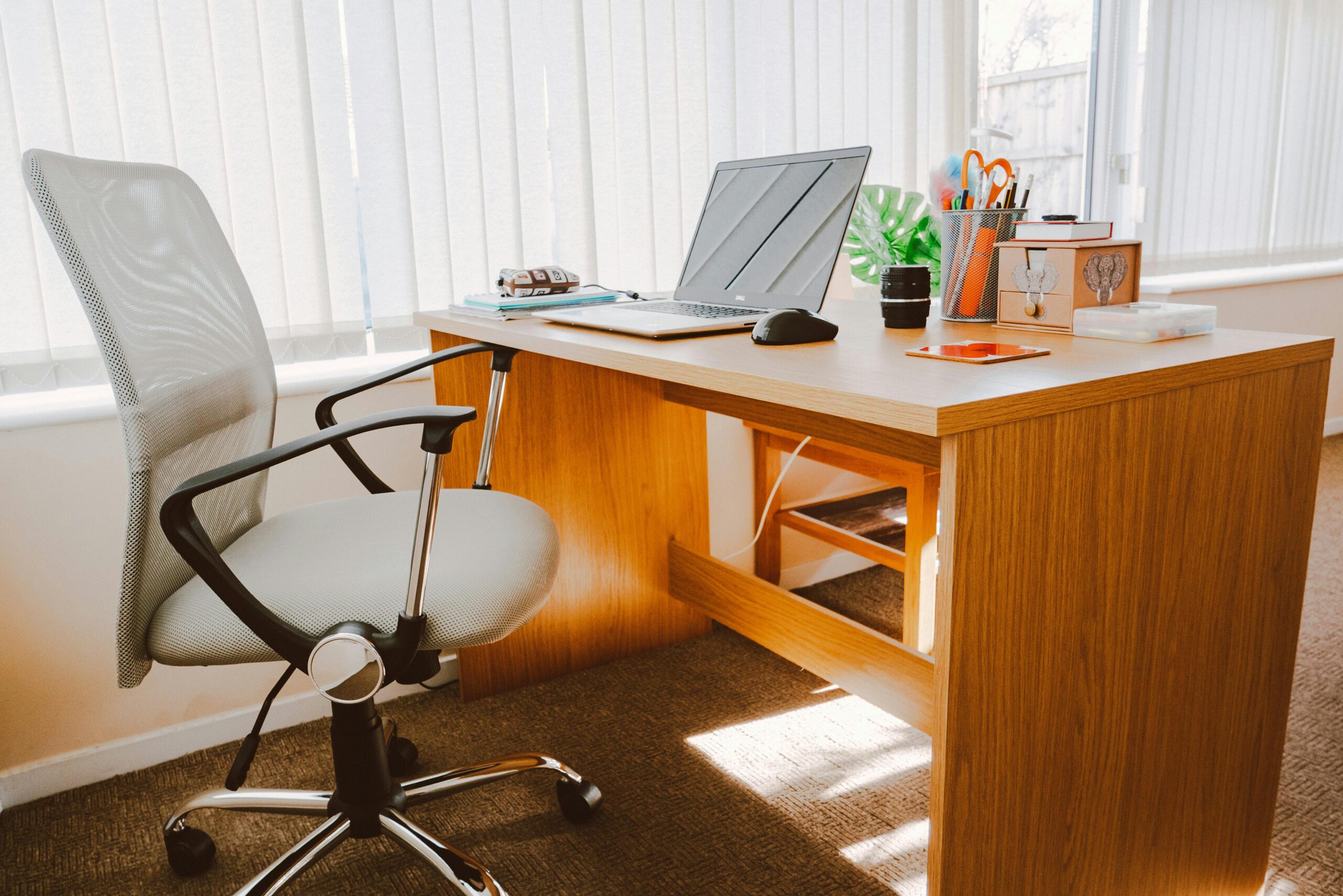
Individual differences require personalized workspace optimization. Someone who is six feet tall needs different setup specifications than someone who is five feet two inches. Adjustable furniture provides flexibility to accommodate various body dimensions and preferences. Invest in a quality adjustable chair as your primary defense against posture-related migraines.
Monitor arms or stands allow precise positioning of screens independent of desk height. This flexibility proves invaluable when fine-tuning your setup for optimal comfort. Position your primary monitor directly in front of you, and if using multiple monitors, arrange them in a gentle arc so you can view all screens with minimal head rotation.
Keyboard and Mouse Positioning
Input device placement affects shoulder, arm, and neck positioning significantly. Your keyboard should sit directly in front of you at a height that allows elbows to rest comfortably at approximately 90 degrees. Wrists should remain neutral—not bent upward, downward, or to either side—during typing to prevent nerve compression and muscle strain.
Mouse position should allow your arm to remain close to your body without reaching forward or to the side excessively. Consider switching mouse hands periodically to distribute repetitive stress more evenly. Alternative input devices like trackballs or vertical mice may reduce strain for some individuals, particularly those experiencing shoulder or wrist issues alongside migraines.
📱 Managing Mobile Device Usage
Smartphones present unique ergonomic challenges due to their size and typical usage patterns. The tendency to look downward at phones held low creates severe forward head posture. Instead, bring your phone up to eye level by bending at the elbows and supporting the upper arms against your torso. This position maintains neutral neck alignment and prevents the cascading tension that triggers migraines.
Limit prolonged mobile device sessions when possible. The smaller screens require more intensive visual focus, accelerating eye fatigue. For extended reading or video watching, consider casting content to a larger screen positioned at proper height and distance. When mobile use is necessary, take frequent breaks and consciously maintain proper posture throughout.
🌡️ Environmental Factors Beyond Posture
Temperature and air quality influence migraine susceptibility alongside postural factors. Maintain comfortable room temperature—typically between 68-72°F (20-22°C)—as both overheating and excessive cold can trigger attacks. Ensure adequate ventilation to prevent stuffiness and maintain oxygen levels, which affect cognitive function and physical comfort.
Humidity levels also matter. Very dry air can cause eye irritation and dehydration, both migraine risk factors. Consider a small humidifier if working in particularly dry environments. Conversely, excessive humidity can feel oppressive and trigger migraines in sensitive individuals. Aim for relative humidity between 30-50% for optimal comfort.
🧘 Integrating Mindfulness and Body Awareness
Developing body awareness helps identify problematic postural patterns before they trigger migraines. Practice periodic body scans throughout your workday: Are your shoulders elevated toward your ears? Is your jaw clenched? Are you holding your breath? These subtle tension patterns accumulate and contribute to migraine development.
Mindful breathing exercises promote relaxation and counteract stress responses. Take several deep, diaphragmatic breaths each hour, consciously relaxing shoulders and facial muscles with each exhalation. This practice activates the parasympathetic nervous system, reducing overall physiological stress that lowers migraine threshold.
🛠️ Tools and Technology for Posture Monitoring
Various applications and devices can help maintain proper posture throughout the day. Posture reminder apps send periodic notifications encouraging position checks and breaks. Some use phone cameras or laptop webcams to monitor head position and alert users when slouching occurs. While technology cannot replace conscious awareness, these tools provide helpful reinforcement during habit formation.
Wearable posture correctors offer physical feedback when positioning deviates from ideal alignment. These devices range from simple elastic braces to sophisticated electronic monitors that vibrate when detecting poor posture. Results vary individually—some find them helpful during initial habit development, while others feel restricted or find them uncomfortable.
🌟 Creating Sustainable Long-Term Habits
Lasting change requires consistent implementation over time. Start by addressing one or two key areas—perhaps screen height and the 20-20-20 rule—before adding additional modifications. Gradual implementation increases likelihood of permanent habit formation compared to attempting wholesale workspace transformation overnight.
Track your progress and migraine patterns to identify which interventions provide the most benefit. Keep a simple log noting workspace adjustments alongside migraine frequency, severity, and potential triggers. This data helps refine your approach and motivates continued effort when you observe measurable improvements.
Building Your Migraine-Prevention Routine
- Morning setup: Check screen position, adjust chair height, and arrange desk items within easy reach
- Hourly check-ins: Assess posture, take brief movement breaks, and perform quick stretches
- Midday adjustment: Review lighting conditions, adjust screen brightness, and verify proper positioning
- Afternoon awareness: Combat fatigue-related postural collapse with conscious position correction
- End-of-day reflection: Note any tension points or discomfort to address in future workspace refinements
💪 Strengthening Exercises for Postural Support
Beyond immediate ergonomic adjustments, developing muscular strength and endurance supports sustained proper posture. Focus on exercises that strengthen postural muscles—particularly the deep neck flexors, scapular stabilizers, and core muscles. These muscle groups work continuously to maintain alignment against gravity and fatigue easily without adequate conditioning.
Incorporate exercises like rows, reverse flys, and planks into your routine several times weekly. These movements counteract the forward-hunched position common in desk work by strengthening muscles that retract shoulder blades and extend the thoracic spine. Stronger postural muscles maintain proper alignment more effortlessly, reducing the constant muscular effort that contributes to tension-type headaches and migraines.
🎨 Personalizing Your Approach for Maximum Benefit
Individual variation means no single solution works universally. Some people are more sensitive to lighting factors, while others primarily react to postural stress. Experiment systematically with different interventions, giving each adequate time—at least one to two weeks—to assess effectiveness before abandoning it or trying another approach.
Consider working with healthcare professionals specializing in ergonomics, physical therapy, or occupational therapy if self-directed efforts prove insufficient. Professional assessment can identify subtle biomechanical issues contributing to migraines that may not be obvious without trained evaluation. This investment often pays dividends through targeted interventions that address your specific contributing factors.
Remember that screen distance and posture optimization represents just one component of comprehensive migraine management. These interventions work synergistically with adequate hydration, regular sleep schedules, stress management, and appropriate medical treatment. By addressing multiple factors simultaneously, you create a robust defense against migraine attacks that supports both immediate comfort and long-term wellness. The effort invested in optimizing your workspace pays ongoing dividends through reduced pain, increased productivity, and enhanced quality of life. 🌈




